Troubleshooting
Sensor Participation
Sensi can control temperature in your home by using an average of the temperature measured at the thermostat and your sensors. This allows you to control to the rooms that you’re using most.
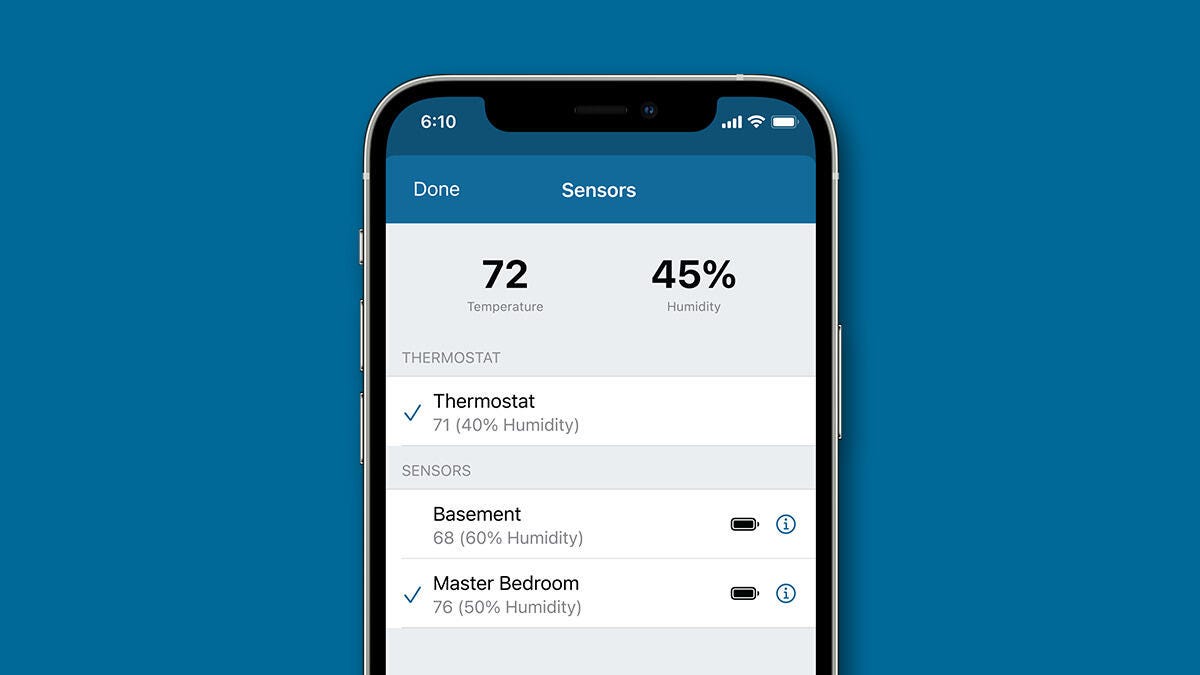
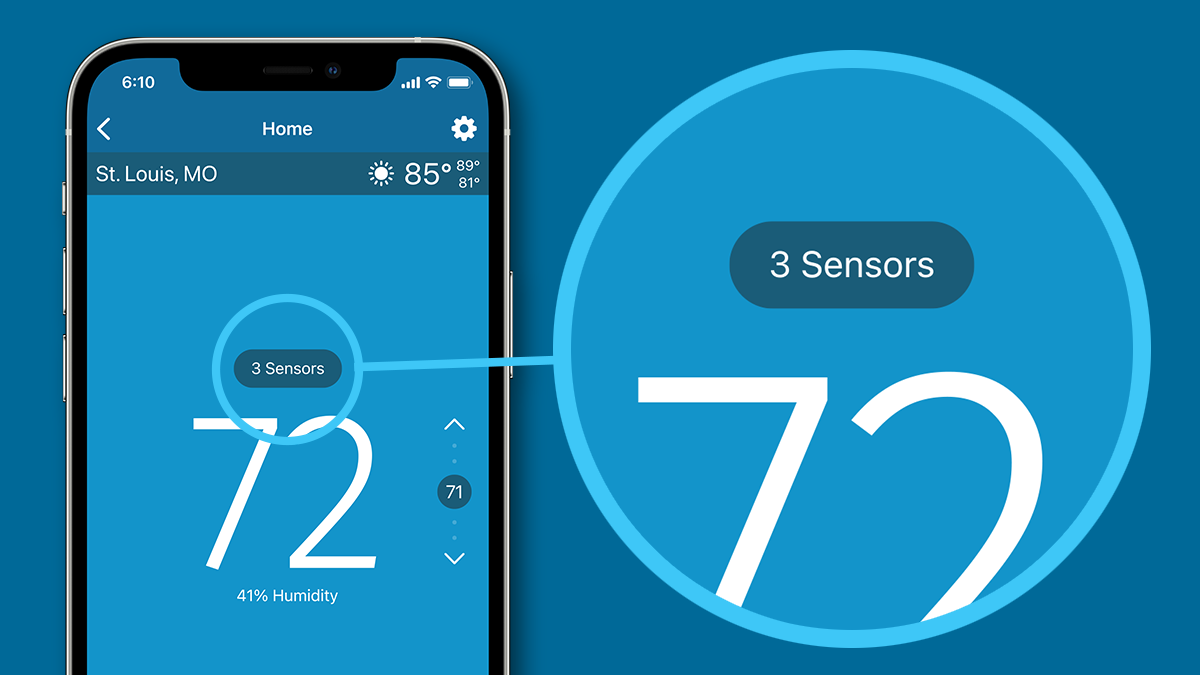
To select which sensors you want to add to this average, open the sensor participation screen in the Sensi app.
- Open the Sensi app.
- Tap on your thermostat name.
- Tap on the "Sensors" bubble above the room temperature.
- At the sensor participation screen, tap sensors to select or deselect them.
- As you make adjustments, you'll see the average temperature and average humidity at the top changes.
If any sensor is in a "Needs Attention" state, it will not be added to the average, and you should troubleshoot to get your sensor back online.
Reach out to us
Our customer support is available 7 days a week.
